Book Reading Habit 5

Eduardo Stuart
5 min read
I'm really excited to share this one. Book Reading Habit 5 is here, and it's the biggest update since I first launched the app.
Small confession first: it's been here for a little while. So consider this the most delayed launch post you'll read this year - but the update is very much live, and very much worth a look.
I build Book Reading Habit on my own, and version 5 is the release I've wanted to ship for a long time. It's not one new feature - it's the app growing up. A calmer, more cohesive look across every screen. A real Mac app. Full support for iPad. And a Goals screen that finally feels as warm as the habit it's helping you build.
Here's everything that's new.
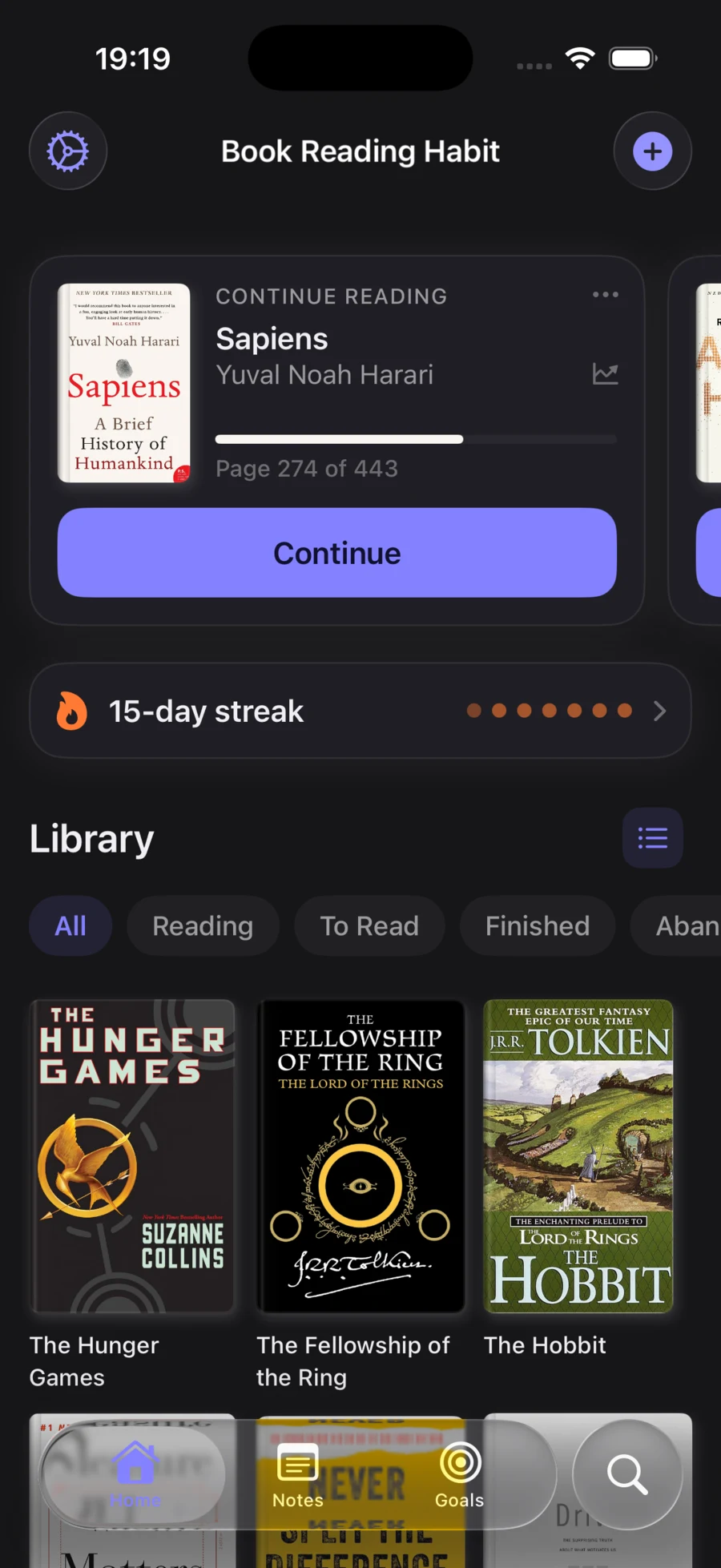
A fresh new look
The whole app got a redesign. I went through every screen - the home, your library, book details, goals, widgets - and gave them a single, consistent visual language. Unified colors, typography, and spacing, with full dark mode everywhere.
The goal wasn't to make it flashy. It was the opposite: I wanted reading to feel quiet. Your library should feel like a calm shelf you actually enjoy opening, not a busy dashboard. Everything is softer, more spacious, and easier to scan at a glance.
Book Reading Habit, now on Mac
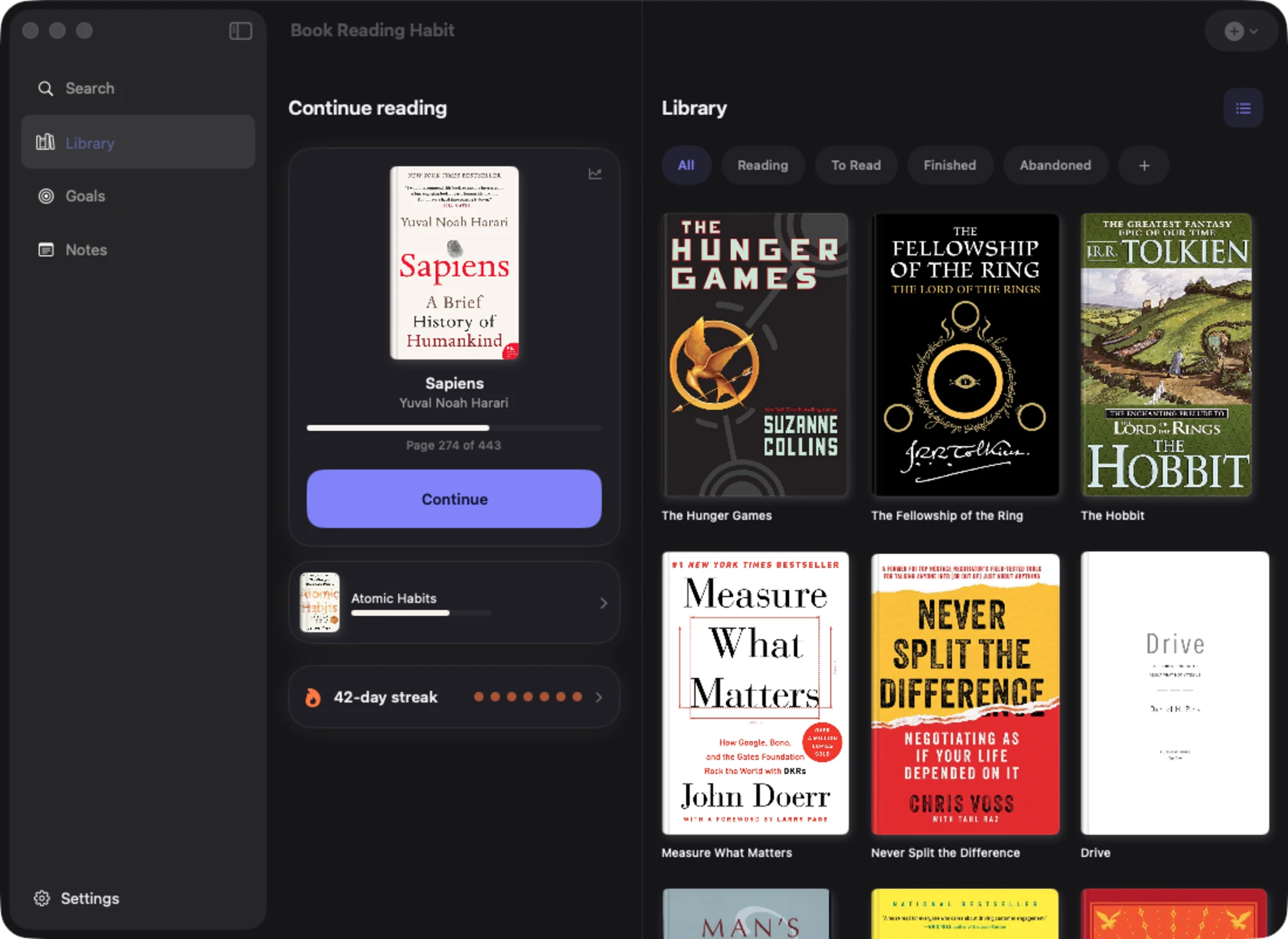
This is the one I'm most proud of. Book Reading Habit is now a native Mac app.
It's not a stretched-out phone screen - it's a real, library-first desktop experience. A sidebar to move between your library, goals, and notes, your "continue reading" front and center, and your whole collection laid out the way it should be on a bigger screen. Everything syncs seamlessly through iCloud, so the book you were reading on your iPhone this morning is right there when you sit down at your Mac.
Made for iPad, too
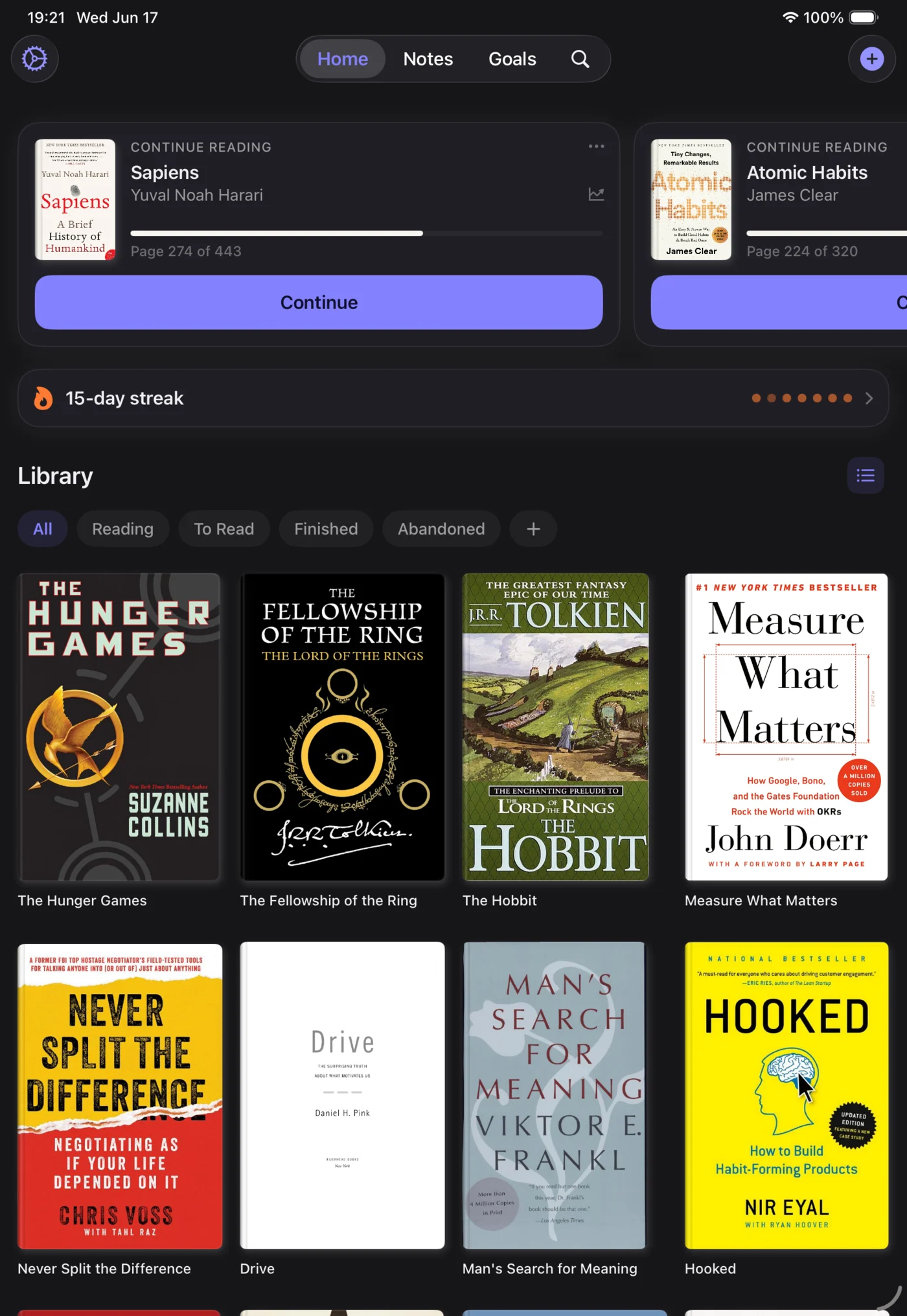
While I was at it, I gave iPad the attention it deserves. Book Reading Habit now runs as a true iPad app - book-sized covers in a roomy grid, support for all orientations, and proper multitasking so you can keep your library open alongside whatever else you're doing.
Between iPhone, iPad, and Mac, you can now track your reading on whatever device is closest, and it all stays in sync.
A warmer way to see your progress
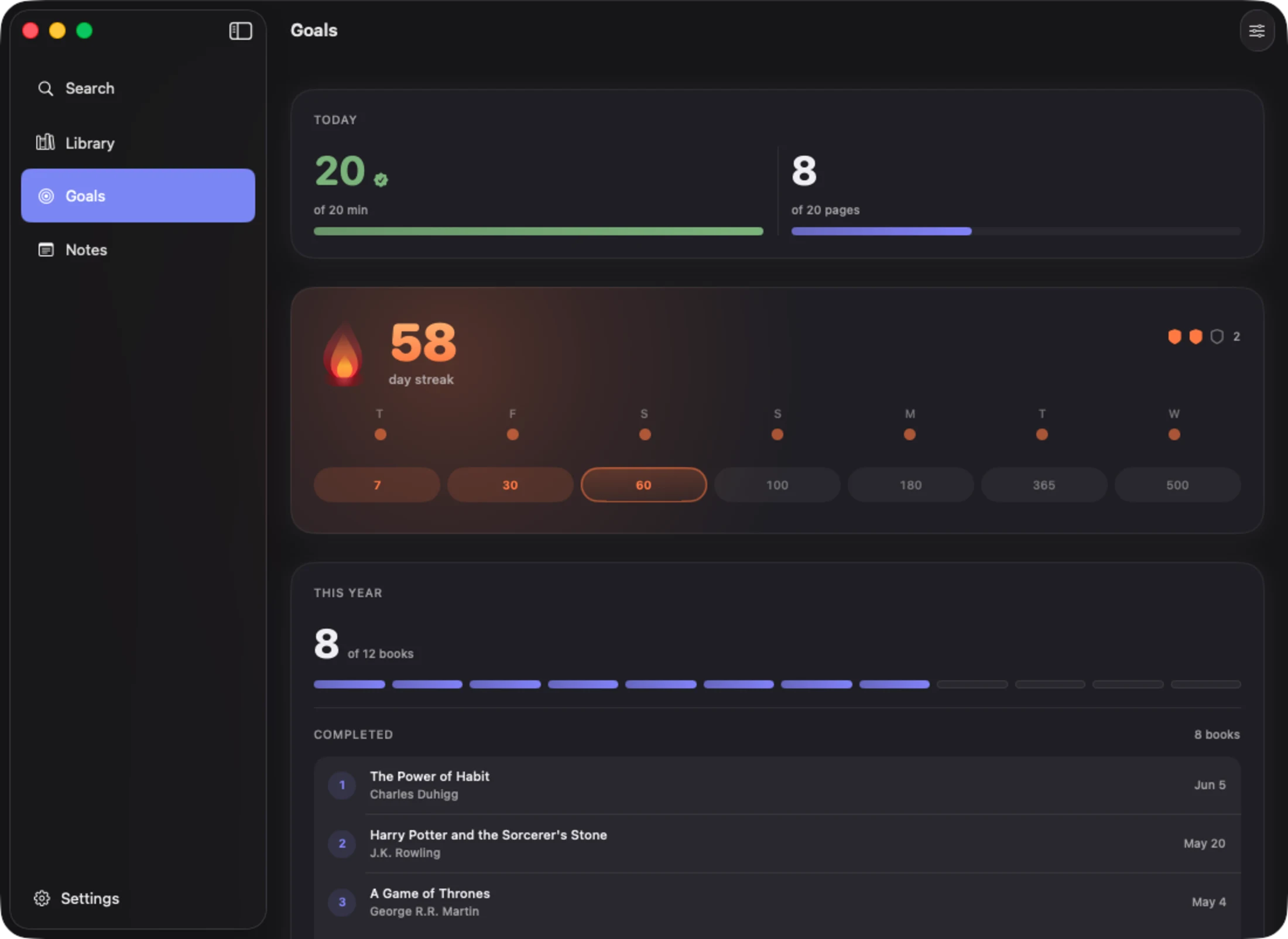
The Goals screen got special care in this release. It's where you check in on your streak, your daily reading, and the books you've finished this year - so it shouldn't feel like a spreadsheet. It should feel like a little bit of encouragement.
So I warmed it up. The streak card now glows, your daily minutes and pages sit right at the top, and your year of reading is laid out so you can see, at a glance, how far you've come. It's the same data, but it finally feels the way showing up every day actually feels.
Get the update
Book Reading Habit 5 is available now on the App Store for iPhone, iPad, and Mac. If you already have the app, you almost certainly have it already (see above) - open it up and have a look around.
Thank you to everyone who tracks their reading with the app every day. Your messages, your feedback, and your streaks are what kept me going on this one. I hope version 5 makes building your reading habit feel just a little bit calmer.
Happy reading.
Track your reading sessions and build a lasting habit.
Download on the App Store (opens in new tab)More from the blog
Focus Themes: choose the room you read in
Twelve looks for the reading session screen - six free, six living scenes. The timer stays the hero; the theme is the room it sits in.
Reading Groups
Private reading groups are here: invite people with a link, share your streak and milestones, and keep each other going - synced through your own iCloud.